Enhancing the optimization of commission workflow on VGEN
Redesigning VGEN to streamline commission management and improve communication between artists and clients for a smoother, more intuitive experience.
Timeline:
Role:
Product Design
Team:
Solo
Skills:
Product
Design
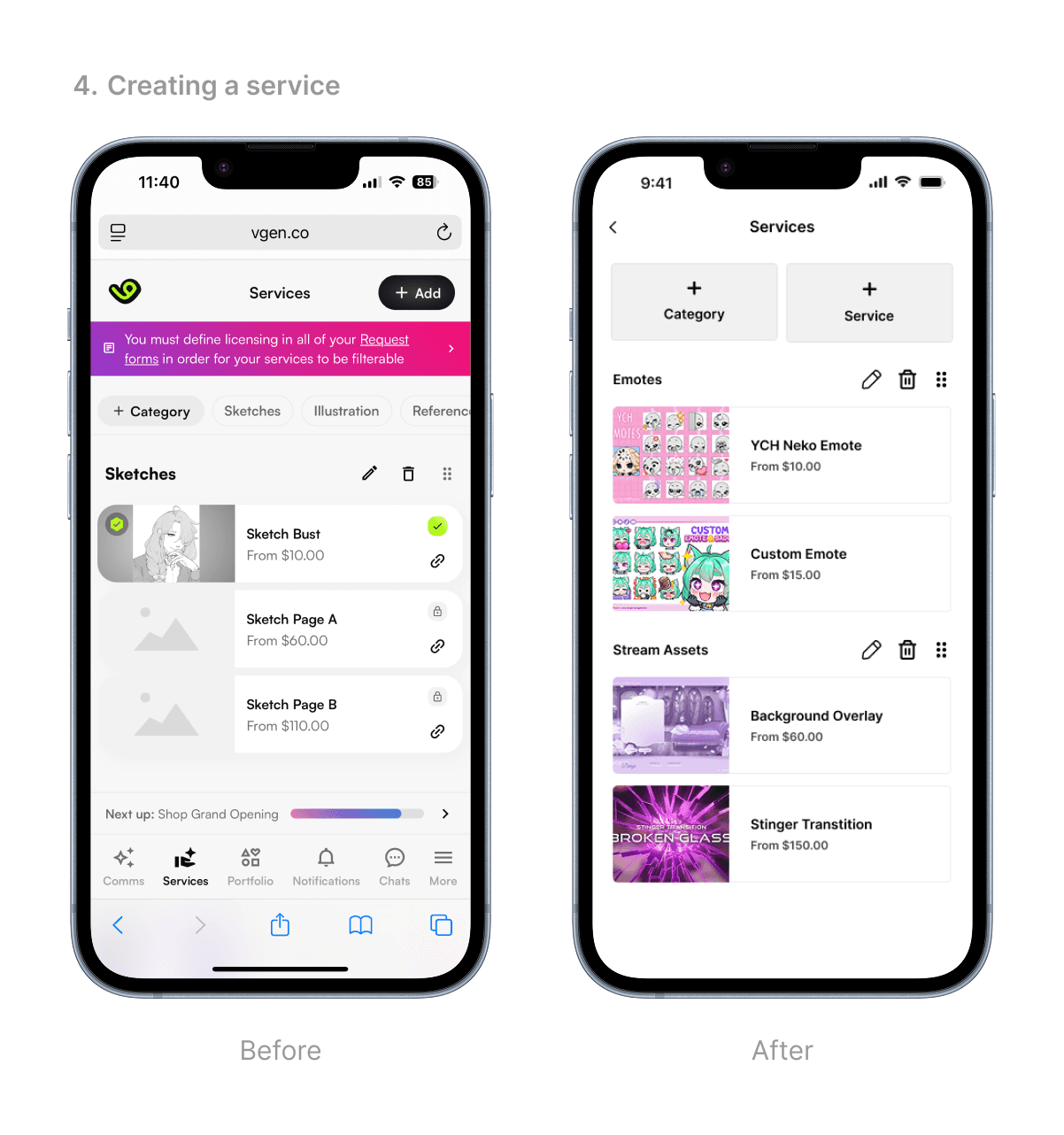
FINAL SOLUTION
Mobile app design
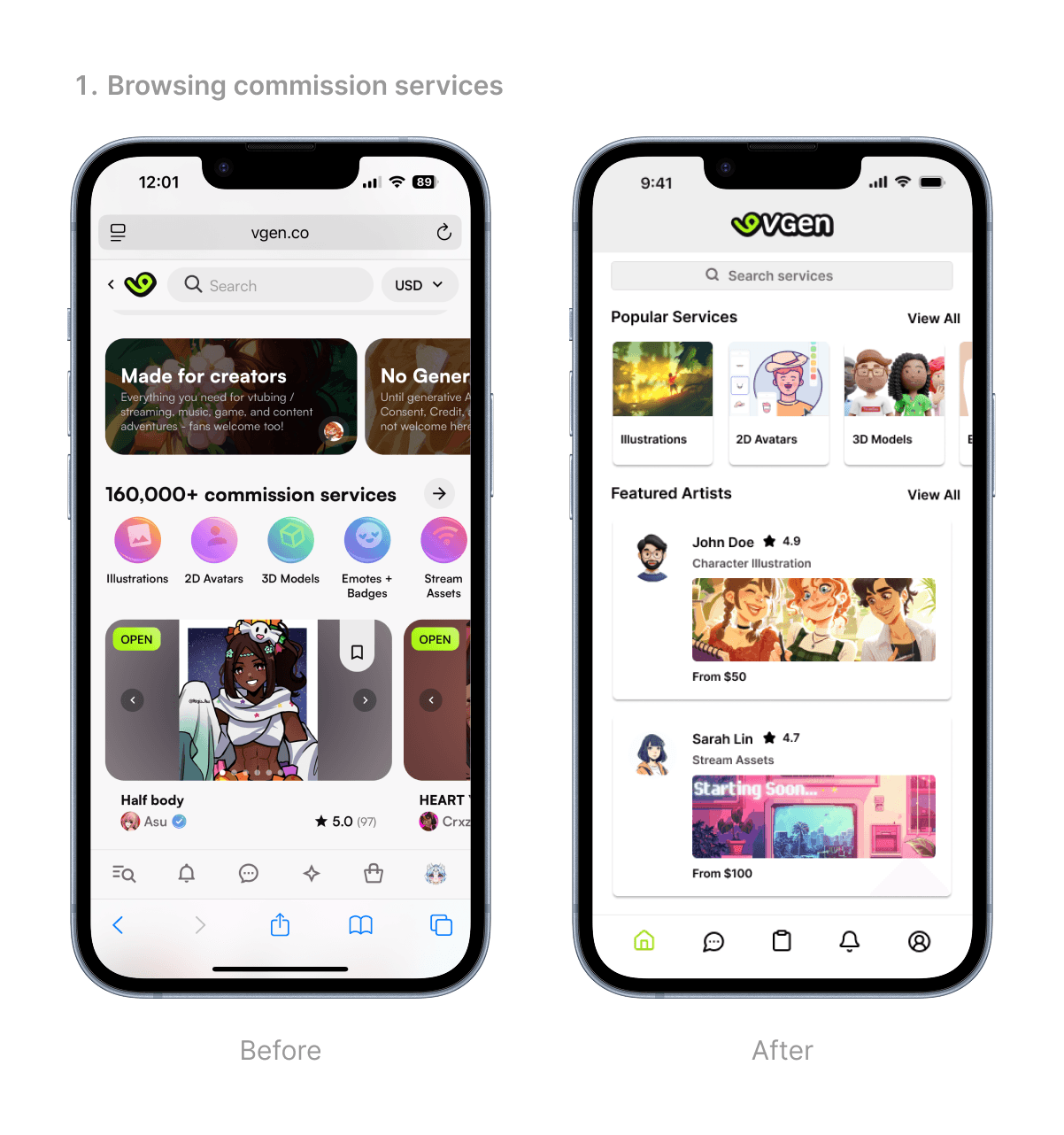
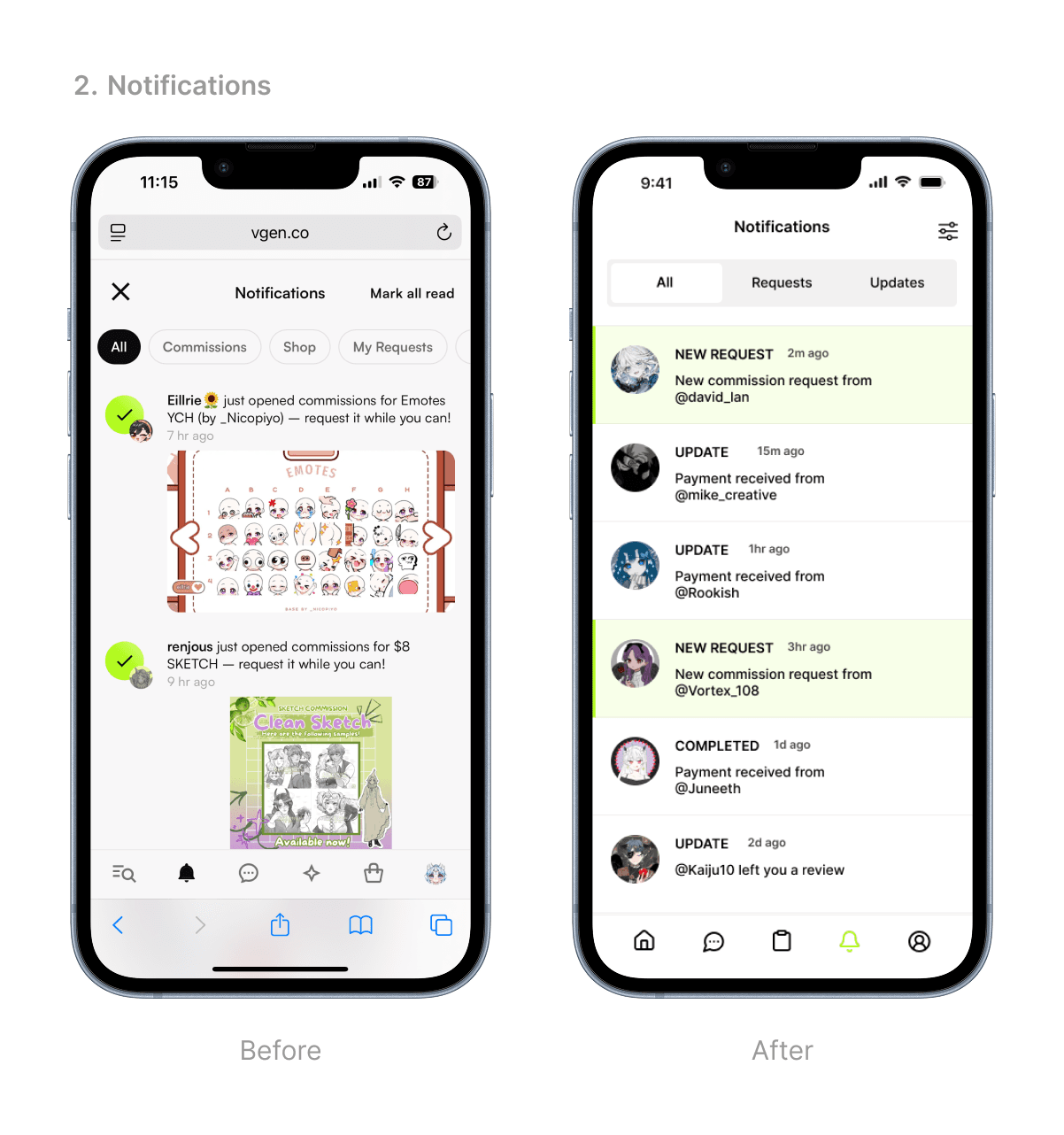
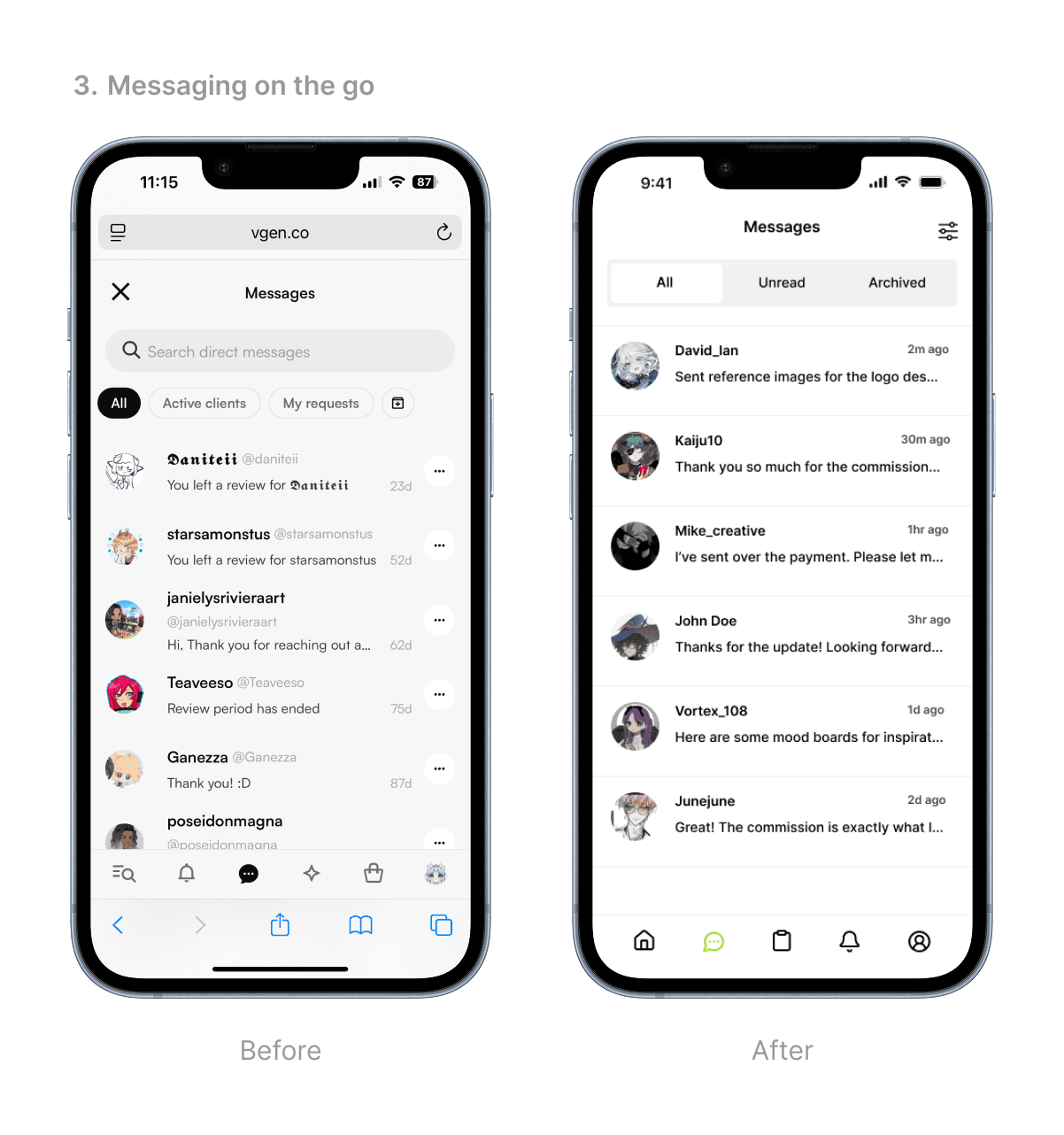
I wanted a mobile-friendly interface that makes it easy and convenient for me to explore and create content on the go.
BACKGROUND
What is VGEN?
VGEN is an online commission hub designed to bridge the gap between artists and clients. It provides a platform that helps artists showcase their portfolios but also streamlines the process of managing commissions and building creative businesses.

Featured artists on VGEN
Problem space
Despite having a mobile-friendly site, VGEN lacks a native mobile app. Navigating the site on mobile feels clunky and inefficient, especially for artists managing commissions on the go. This gap creates an opportunity to design a more intuitive mobile experience tailored to user needs.
The goal
USER INTERVIEWS
What does the VGEN community say?
I conducted task-based interviews with active users of the platform. I contacted 4 VGEN users, two that were artists and two that were clients to conduct these interviews.
• Pre-Task Questions -> Current workflow, frustrations, and needs
• Task 1 -> Create a new commission service from scratch
• Task 2 -> Manage the status of ongoing commissions
• Post-Task Questions -> Overall experience, suggested improvements, challeges
While VGEN markets itself as mobile-friendly, many VGEN artists feel that the experience still feels like a desktop site crammed onto a phone screen. The lack of a native app makes day-to-day usage feel less accessible on the go.
"I only get notifications through my email, I wish it was more easily accessible."
"Providing updates to my clients is a nightmare using the mobile-website."
User Personas
From the interviews, it helped me narrow down how users use the platform, which helped me create profiles for both experienced artists and clients
Experienced Artist
Has been seeling commissions online for several years and built a steady client base
Needs: efficient commission management and streamlined communication with clients
Goals: manage services easily on mobile and keep track of commissions on the go.
Commission Client
Regularly commissions artwork to support artists and collect unique pieces
Needs: easy discovery of artists, clear pricing and timelines, and reliable updates on progress
Goals: find trustworthy artists and stay connected with artists while on the go
Competitive Analysis
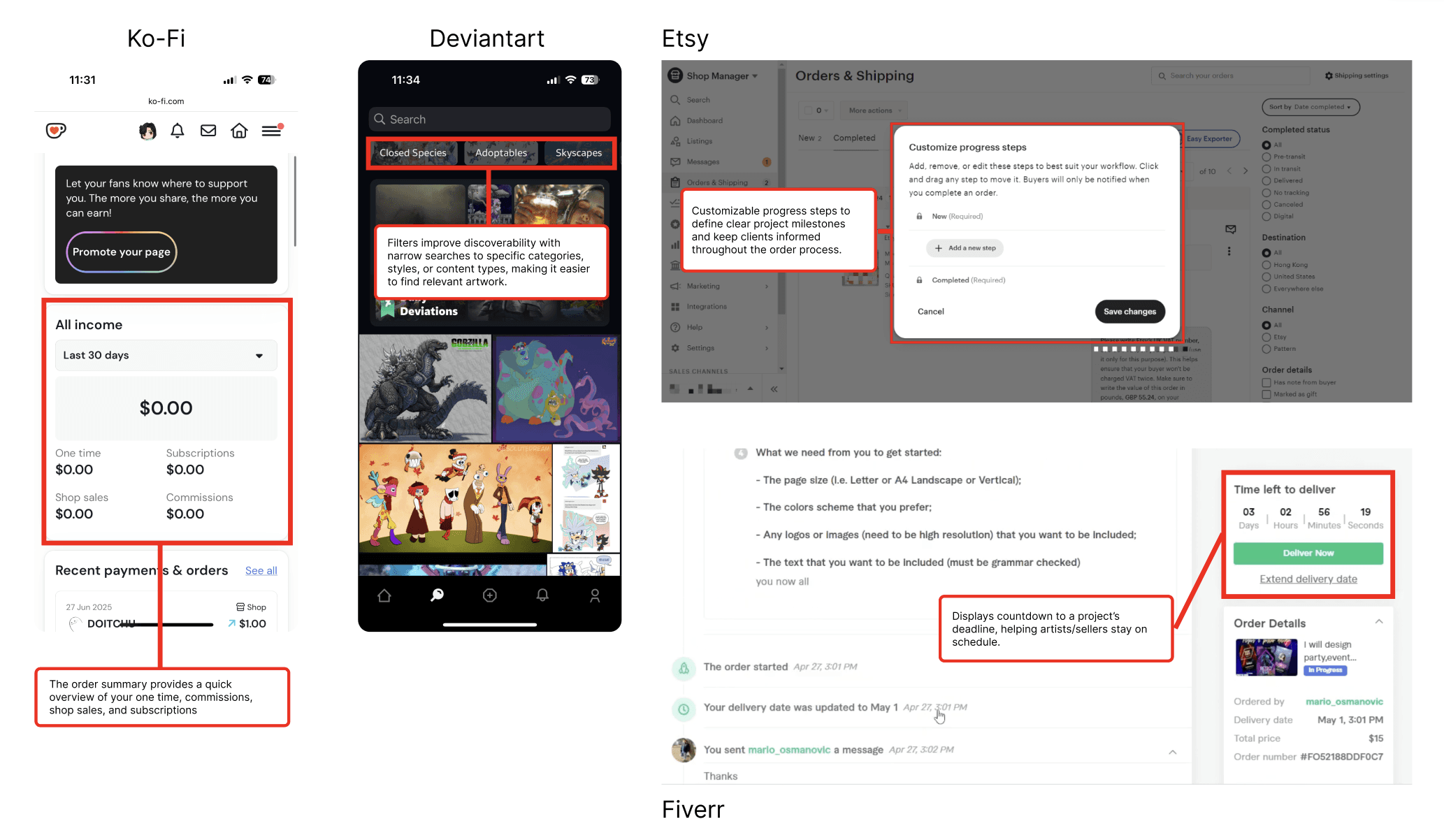
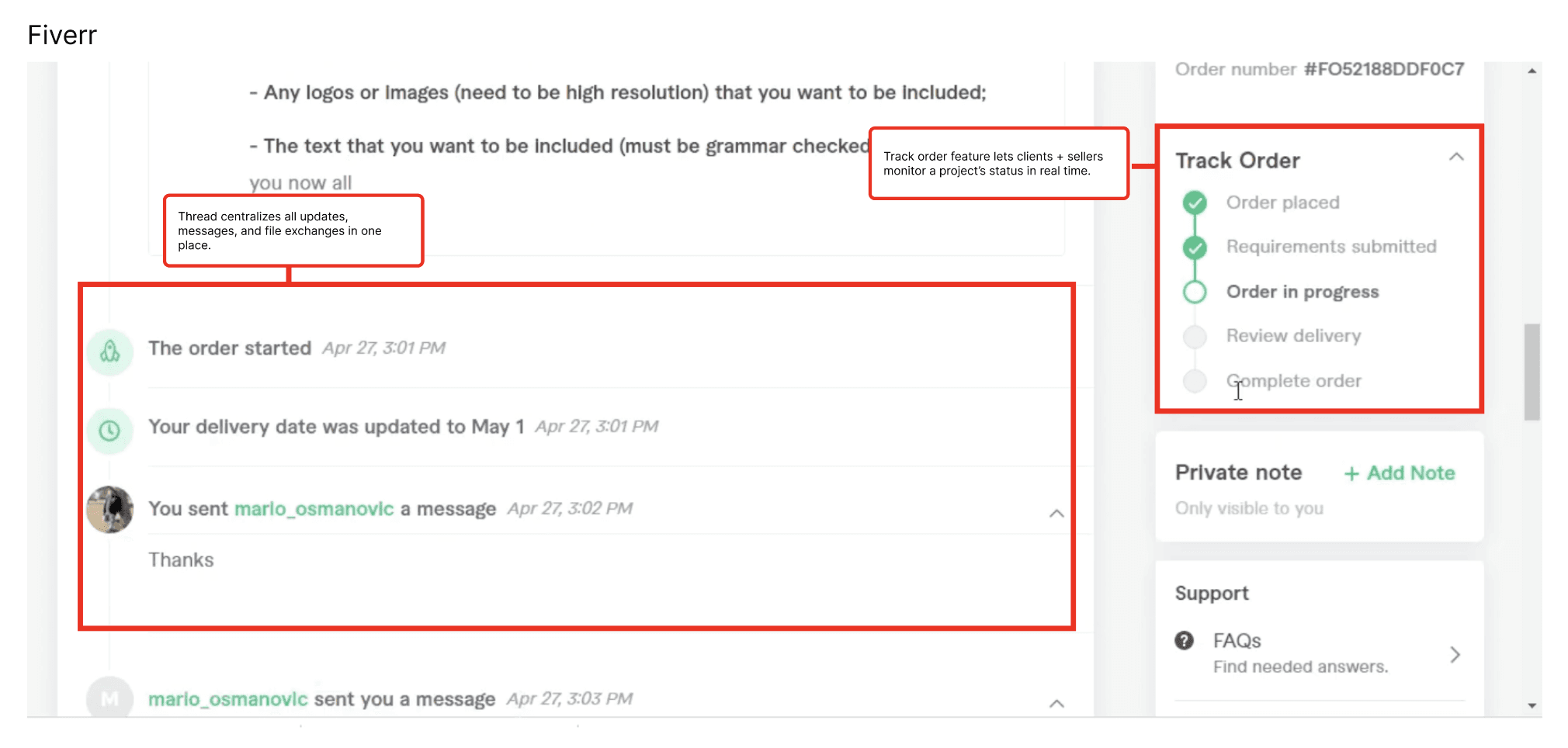
With thousands of artists using online platforms to sell and manage commissions, VGen faces competition in both the mobile and web commission space. Many artists use multiple platforms simultaneously to meet their needs—in fact, several of my interviewees reported juggling more than one service platform.
And so we ask..
Decision to design for mobile-web
Increased Accessibility
Convenience on the go to manage or review commissions
Frequent engagement by sending push notifications to alert users, messages, or updates in real-time
User flow
Before redesigning, I mapped out two key user flows: one for creating and editing commission services, and another for managing commissions on VGen.
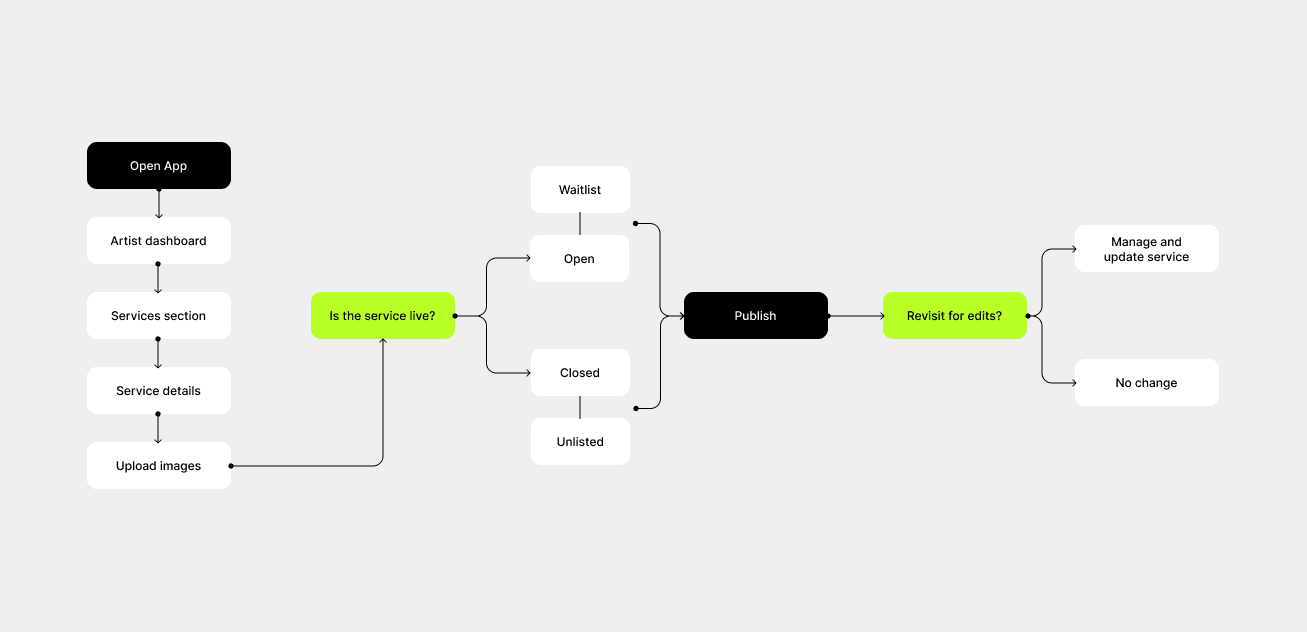
Creating + editing commission services
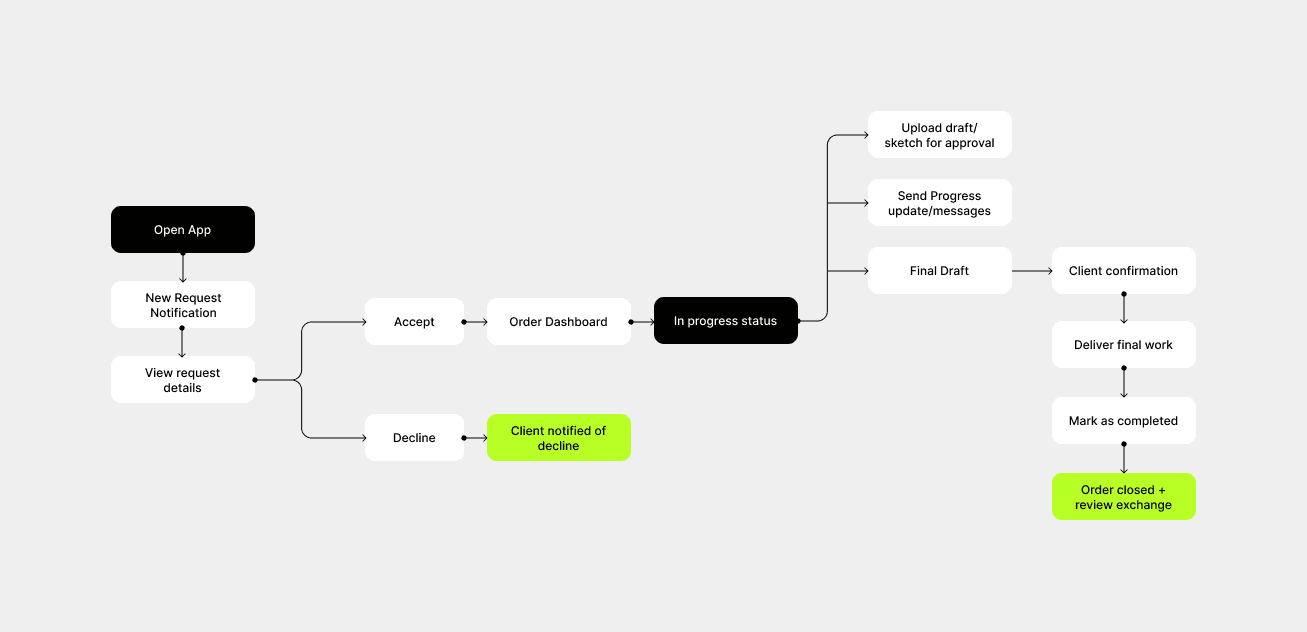
Managing new + existing commission requests
WIREFRAMES
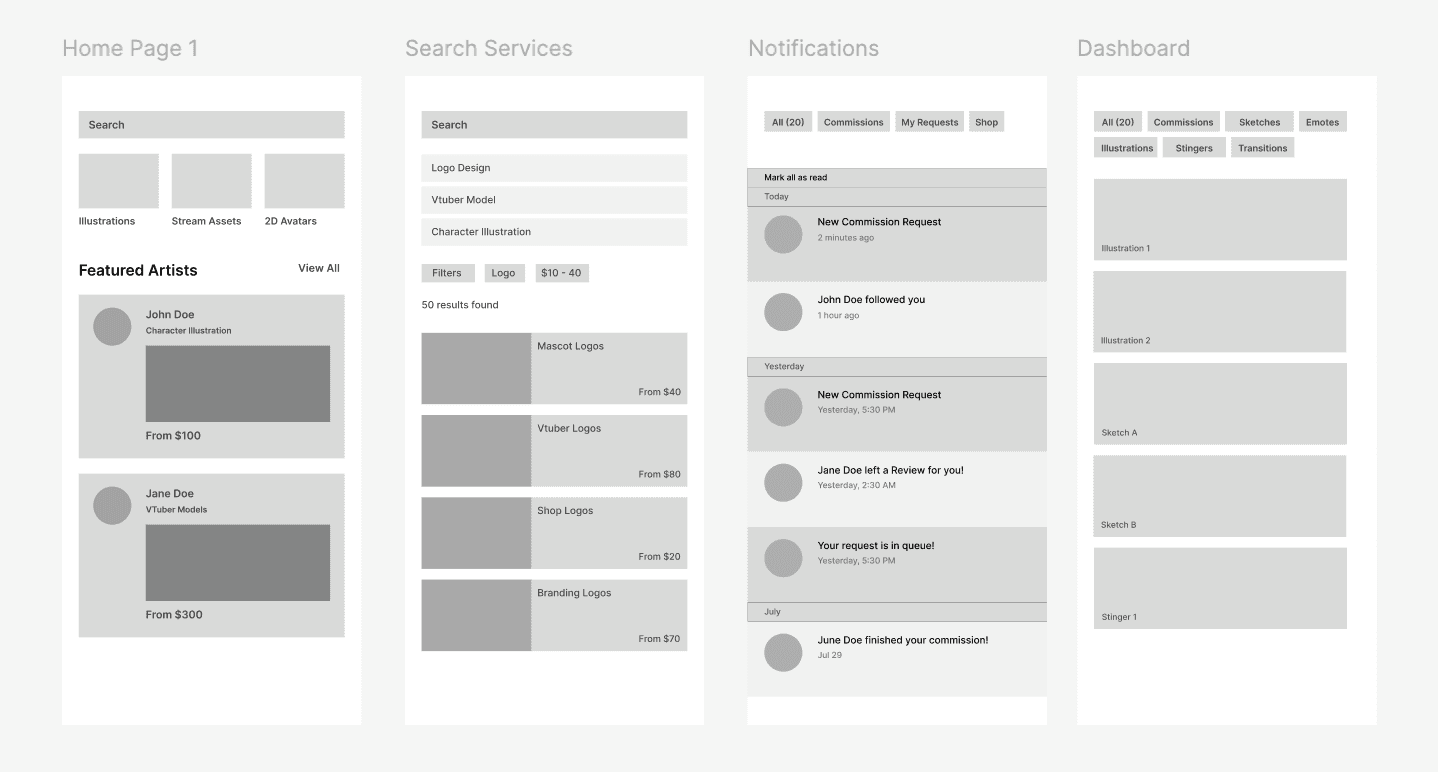
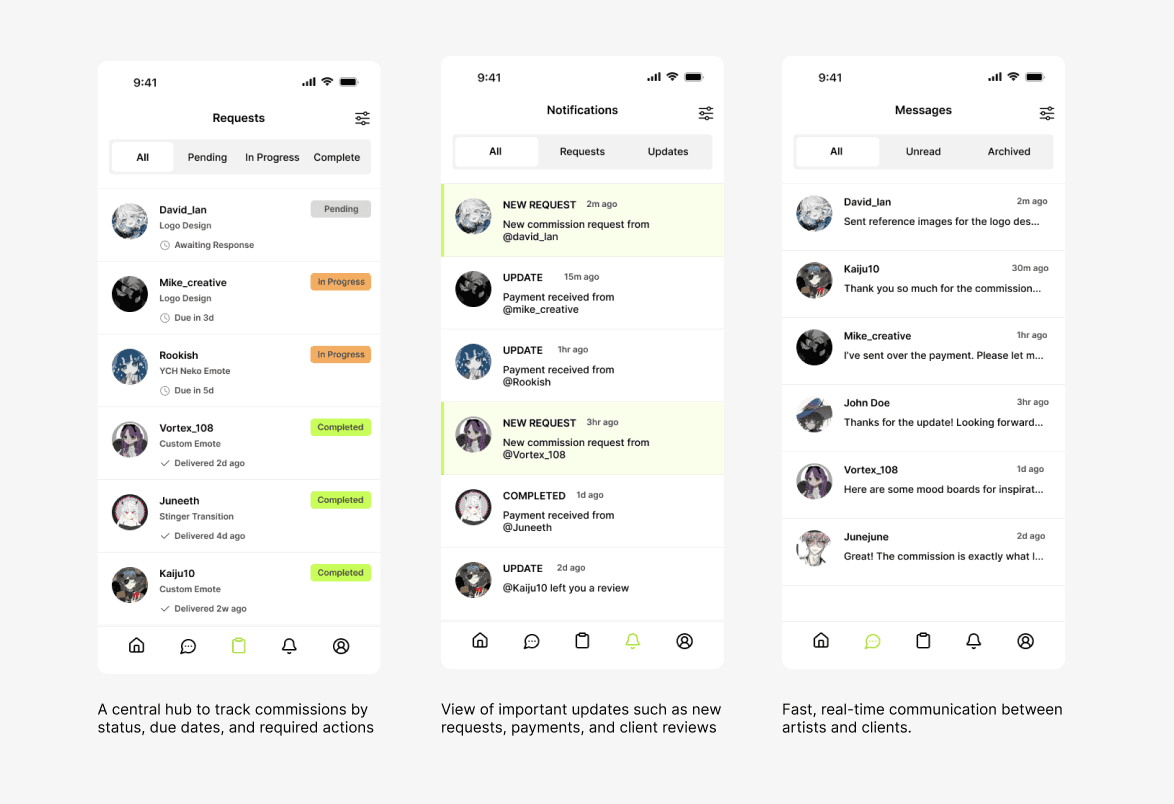
MID-FI DESIGNS
Laying it out
Developed mid-fidelity designs focusing on clear hierarchy, intuitive layout, and streamlined interactions to improve commission tracking, highlight key updates, and enable fast client-artist communication.
USABILITY TESTING
What did users have to say?
After creating a functional prototype, I invited 6 active VGen users to participate in usability testing. The session focused on observing how they interacted with the redesigned mobile interface and identifying any friction points.
Results:
5/6 participants said the redesigned navigation felt smoother and more intuitive. |
Appreciated the clean layout and improved spacing between components. |
3/6 were unsure how to update the status or mark a commission as completed. |
Users mentioned that notification icons or wording could be clearer. |
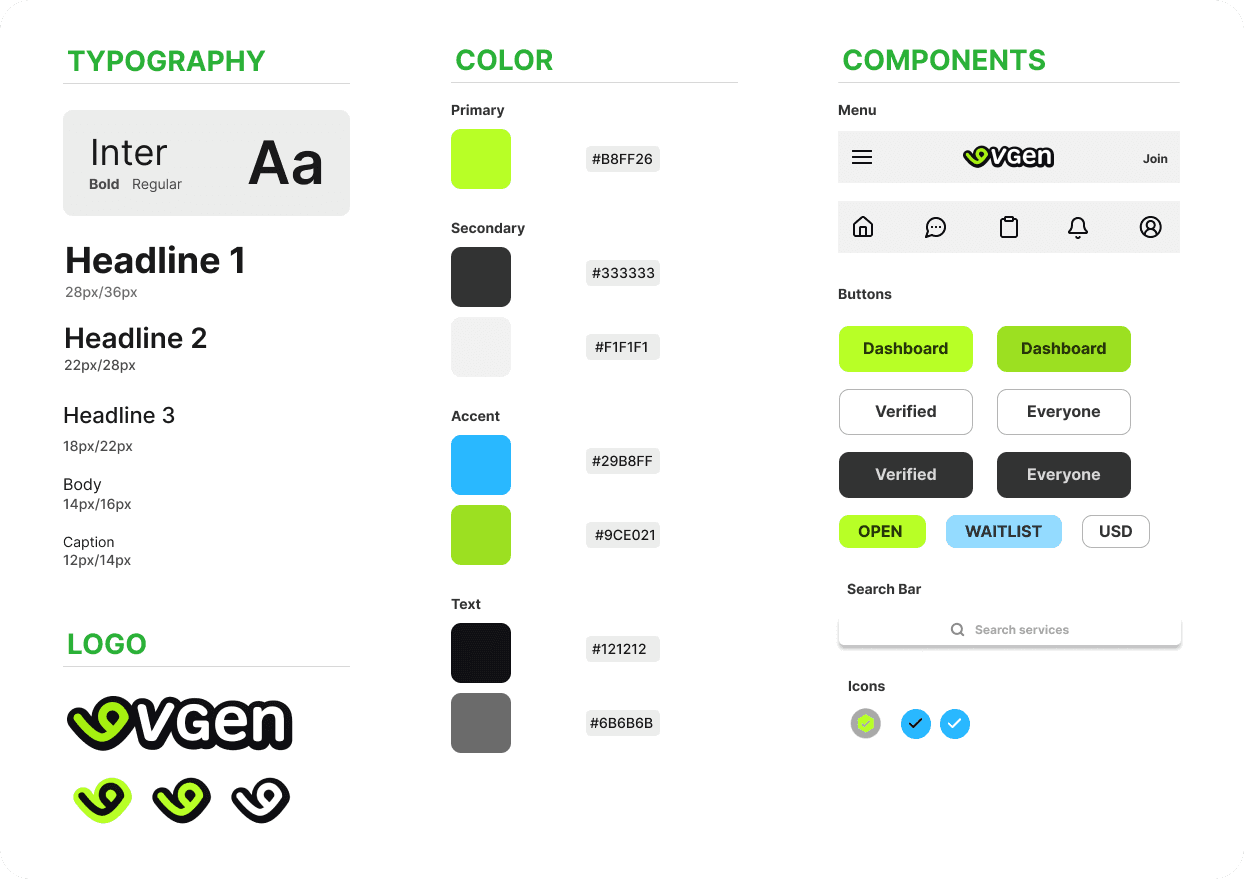
DESIGN SYSTEM
Mobile design system
Compiled a unified design system for VGEN to create a consistent in-app experience and components that I will utilize in my protoypes.
REFLECTION
What did I learn?
Empathy for users
Working on the VGen redesign gave me a deeper understanding of the challenges artists face when managing commissions and services. Conducting interviews and mapping user flows emphasized the importance of designing solutions that truly support users’ workflows, not just look visually appealing.
Iterative problem-solving
Exploring different approaches to improve mobile usability and streamline service management reinforced the value of iteration. Prototyping, testing, and refining concepts helped me see which solutions actually enhance the user experience versus those that only seem good on paper.
Balancing creativity and functionality
Designing for a platform where artists manage both creative work and administrative tasks highlighted the balance between maintaining aesthetic appeal and ensuring practical usability. Although I wasn’t able to address every UI issue or integrate all design improvements, this project taught me how thoughtful design decisions can simplify complex interfaces and create a smoother user experience.